

Prerequisites
Before applying a discount, make sure:- The coupon is created,
published, and inside itsredeem_after/redeem_beforewindow. - The coupon currency matches the subscription currency.
- The coupon has not exhausted its
max_redemptions.
Apply a coupon during subscription creation
From the dashboard
1
Open the customer
In the main navigation, select Billing → Customers, then select the customer.
2
Start a new subscription
Click Create Subscription and fill in plan, billing period, and currency.
3
Link a coupon
In the Coupon section, click Add Coupon, pick the coupon from the dropdown, and confirm.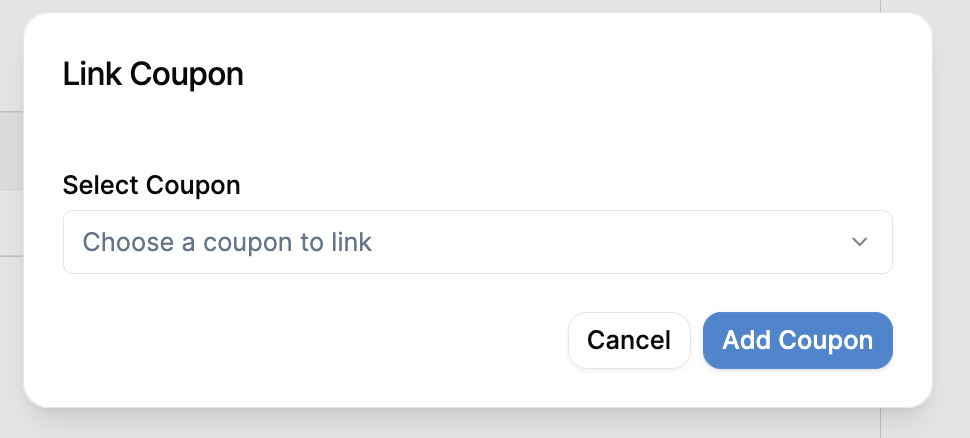
4
Verify and save
Review the pricing breakdown, then click Create Subscription.
From the API
Pass one or more coupons undersubscription_coupons when creating the subscription. Each entry references the coupon by its coupon_code (case-insensitive) and can optionally target a specific line item with price_id.
cURL
subscription_coupons is the preferred way to attach coupons at creation. The older coupons array that takes coupon_id is deprecated.Add or remove a coupon mid-cycle
Use the subscription modify API to attach or detach a coupon on an existing subscription. The same endpoint supports a preview that returns the proration impact without writing anything.Add a coupon
cURL
To dry-run the change, call
/modify/preview with the same body. The response includes the resulting subscription, any new coupon_associations, and the changed line items and invoices.
Remove a coupon
To detach a coupon, send theassociation_id of the coupon association you want to soft-delete. You can find association IDs on the subscription response under coupon_associations, or list them with the coupon associations API.
cURL
List coupon associations
Use these endpoints to read the coupons currently attached to one or more subscriptions.List associations
Get one association
Coupon associations are created and removed exclusively through the subscription modify API or at subscription creation. There is no
POST /coupons/associations endpoint.How cadence applies
The discount duration on the association follows the coupon’scadence:
Validation
Flexprice validates the following before attaching a coupon:- The coupon exists, is
published, and is withinredeem_after/redeem_before. - The coupon currency matches the subscription currency.
max_redemptionshas not been reached.- Any custom rules on the coupon (for example,
customer_id,plan_id,amount) match the target subscription.
hint field that names the failing constraint.
Troubleshooting
Coupon not applying- Confirm the coupon
statusispublishedand inside its redeem window. - Confirm the currency matches the subscription currency.
- Confirm
max_redemptionshas not been reached.
coupon_code not found
- Codes are case-insensitive but must match exactly otherwise. Check for trailing whitespace.
- Coupons are scoped per tenant and environment. A code in
productionis not visible fromsandbox.
- If you passed
price_id, confirm that the price belongs to a line item on the subscription. - Subscription-level discounts apply to all eligible line items; line-level discounts apply only to the targeted line.