

How Commitment Works
When a commitment amount is configured for a subscription:- Commitment Amount: The minimum amount a customer commits to paying per billing period (e.g., $1,000/month). This guarantees minimum revenue for the business.
- Overage Factor: A multiplier applied to usage costs that exceed the commitment amount (e.g., 1.5x). When a customer’s usage surpasses their commitment, the excess usage is charged at this higher rate.
-
Usage Calculation:
- If total usage cost ≤ commitment amount: All usage is charged at standard rates
- If total usage cost > commitment amount: The commitment amount is charged at standard rates, and the excess (overage) is charged at the overage factor rate
Steps to Add Commitments to a Subscription
- Click the Add Subscription button
- Scroll down to the Commitment & Overage section
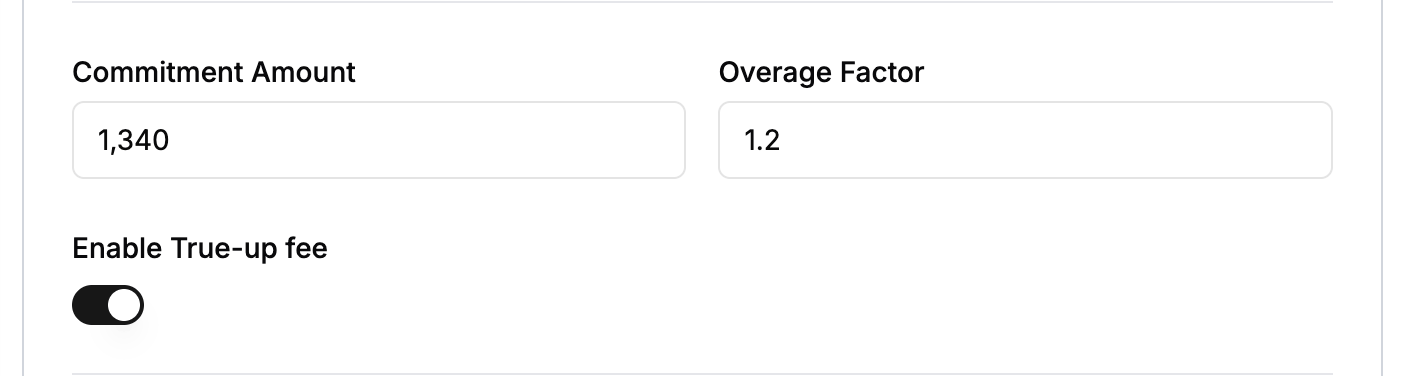
- Define the commitment amount and overage factor

Understanding True-Up
True-up is a billing mechanism that ensures customers pay their full commitment amount even if their actual usage falls short. When enabled, if a customer’s usage doesn’t meet the minimum commitment amount, they are charged the difference as a “shortfall” or “true-up” fee.How True-Up Works
- During Billing Period: The system tracks all usage and calculates the total usage cost
- At Invoice Generation:
- If usage cost < commitment amount AND true-up is enabled: A true-up line item is added to charge the remaining commitment amount
- If usage cost ≥ commitment amount: No true-up is needed (standard commitment and overage logic applies)
Steps to Add True-Up
You can enable true-up for a subscription during the subscription creation process:- Click the Add Subscription button
- Scroll down to the Commitment & Overage section
- Define the commitment amount and overage factor
- Enable true-up using the toggle switch
Time-of-day commitment buckets
Time-of-day buckets split a windowed commitment into multiple ranges within a UTC day, each with its own commitment value, price, and overage factor. Use them when a single line item needs different rates for peak versus off-peak hours — for example, GPU compute that costs more between 09:00 and 17:00 UTC. Buckets are configured per subscription line item and requirecommitment_windowed: true. Each bucket covers a half-open [start, end) range, and the engine charges the bucket whose window contains the usage timestamp.
When to use buckets:
- Peak/off-peak pricing — Higher commitment and rate during business hours, lower outside
- Tiered SLAs — Different minimum spends for production hours versus maintenance windows
- Burst capacity — Reserved capacity at a guaranteed rate during a defined window, overage rate elsewhere
Bucket fields
Buckets must not overlap, and ranges can wrap midnight (for example
{22:00, 06:00} covers 22:00–05:59). All times are UTC.
Example: peak and off-peak commitment
Updating buckets
OnPATCH of a subscription line item, the bucket array replaces the existing buckets:
- Keep an existing bucket — include its
idand omitprice. Commitment fields are read from the request, so you can changecommitment_value,overage_factor, ortrue_up_enabledwhile keeping the original price. - Add a new bucket — omit
idand include an inlineprice. The server creates a subscription-scoped price and assigns a bucket ID. - Remove all buckets — send
"commitment_time_buckets": [](an empty array). Omitting the field keeps the existing buckets unchanged.